Strideframe
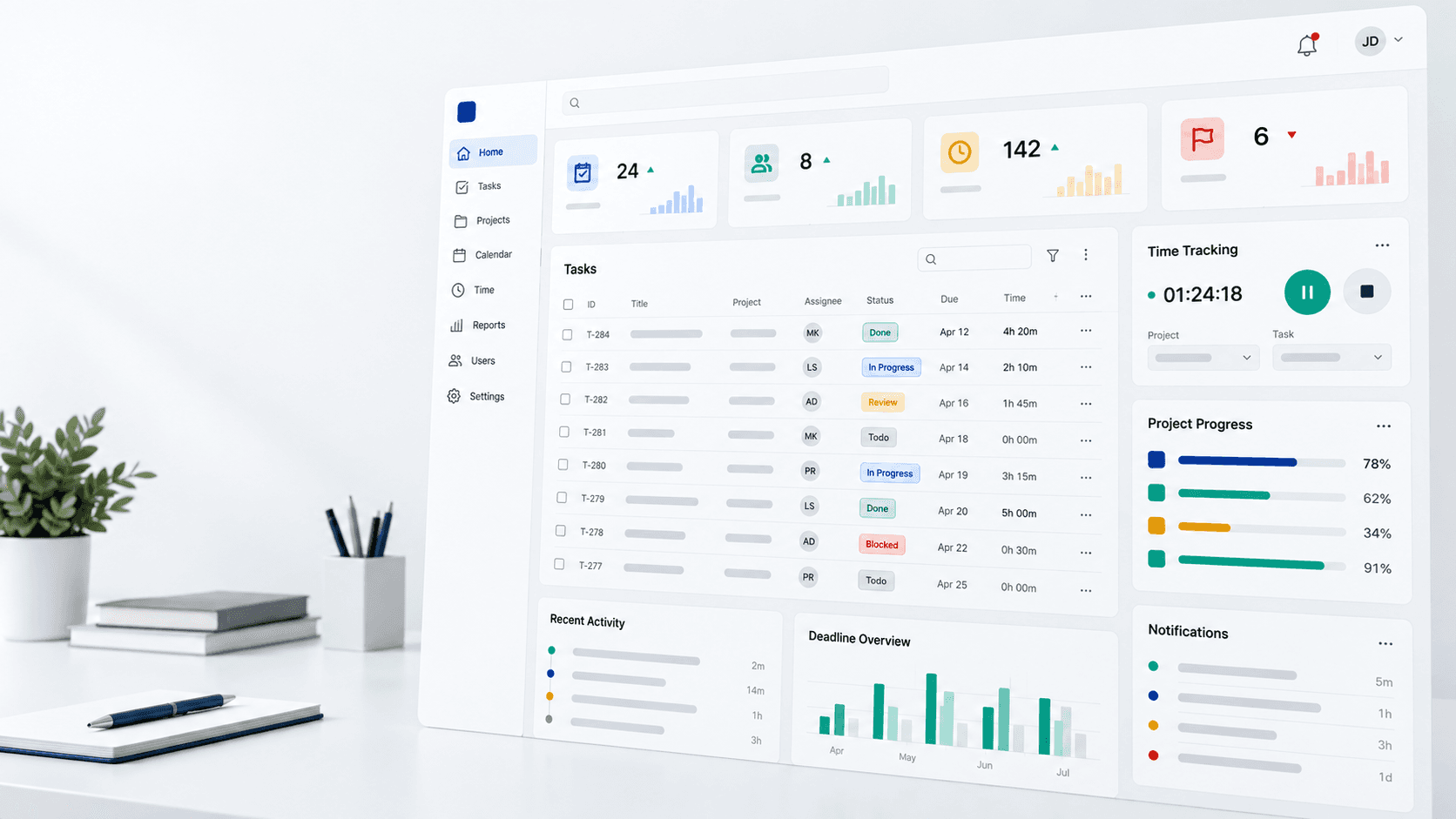
Strideframe workspace showing tasks, tracked time, project progress, and team activity
Agency task management and time tracking

Run client work, team time, and delivery from one clear workspace.

Plan every project, assign accountable owners, capture billable and non-billable effort, and deliver client reports backed by real work.

View the workspace
Secure workspacesRole-based accessBuilt-in time trackingClient-ready reports
See how work moves
Supabase RLSTenant-aware data protection.
Isolated workspacesEach client stays separate.
Guided onboardingHelp from setup to team rollout.
Controlled reportingRole-authorized filters and exports.
One connected agency workspace

Manage the work and the time behind it.

Strideframe connects client projects, assigned tasks, contributors, deadlines, work sessions, and reporting from the first brief to the final delivery.

MediaLoop workspaceTeam command center
Today
Open tasks12Completed28Tracked time46hNeeds attention2
Workspace tasks
Prepare launch reviewSMIn progress2h 18m
Validate client workspaceVVIn review48m
Finalize onboarding guideSGNot started0s
From request to reported work

A project delivery workflow the whole team can follow.

Replace unclear ownership, detached timesheets, and status hunting with a visible path from planning to client reporting.

01

Shape the work

Create the project, define the deliverable, and break it into accountable tasks and subtasks.

02

Keep ownership clear

Assign the right contributor, set priorities and due dates, and keep every handoff visible.

03

Capture real effort

Use automatic timers or manual sessions. Every minute stays connected to the work that created it.

04

Report with confidence

Filter by project, date, or contributor and export client-ready records when the work is done.

Employee time tracking with context

Know where every hour went before the client asks.

Automatic timers and manual time entries combine into one dependable report, organized by client project, contributor, task, and work date.

  • Daily, weekly, monthly, and custom reporting periods
  • Contributor performance visibility for owners and admins
  • Excel reports for authorized workspace roles
Contributor reportSeptember delivery
42h 18m
Total tracked42h 18mTasks18Completed14
Client onboarding18h 20mWebsite launch14h 42mContent rollout9h 16m
Automatic and manual sessions combined
Workspace security and access

Every client workspace stays separate, controlled, and accountable.

Strideframe combines secure authentication, database-enforced access rules, and role-based permissions so every person sees only the work they are authorized to access.

Client data stays isolatedProjects, tasks, time records, and notifications remain scoped to the correct workspace.
Access follows responsibilityOwners, Admins, Coordinators, and Members receive the controls appropriate to their role.
Account access is protectedSecure invitations, password recovery, and bot protection safeguard every entry point.
Four purpose-built access levels

The right view and authority for every workspace role.

Owners, Admins, Coordinators, and Members each get the controls required for their responsibility, without unnecessary workspace exposure.

01

Owner

Controls the workspace, team access, subscriptions, projects, and reporting.

02

Admin

Coordinates delivery, reassigns work, manages contributors, and reviews performance.

03

Coordinator

Manages active projects, assigns team work, records time, and monitors delivery.

04

Member

Creates and owns tasks, tracks sessions, and works from a focused personal view.

Built from real agency operations

A working system, not a collection of feature claims.

Strideframe is shaped and validated inside real multi-client delivery workflows. Project ownership, contributor sessions, permission boundaries, dashboard refreshes, and client reports are tested together as one production system.

Role-based access
Visibility aligned to responsibility
2 time methods
One accurate report
Secure by workspace
Client data remains separated
A professional team reviewing their work together during onboardingGuided from setup to rollout
A simple way to get started

Choose your plan. We will help with the rest.

No complicated setup or long learning curve. We guide your workspace from the first conversation to the day your team starts working.

  1. 01
    Visit Strideframe

    See how tasks, time, teams, and client reporting work together.

  2. 02
    Choose your plan

    Select the capacity that fits your team today.

  3. 03
    Complete guided onboarding

    We help configure your workspace, roles, projects, and team access.

  4. 04
    Start managing work

    Your team can begin assigning tasks, tracking time, and reporting with confidence.

Plans built around team capacity

Start with the workspace your team needs today.

Every plan includes secure project and task management, time tracking, reporting, guided workspace setup, and responsive product support. Choose by team size and operational visibility.

Start with confidence

Try the complete workflow free for 7 days.

Explore Strideframe with up to five users, guided workspace setup, and no commitment. When the trial ends, choose the paid plan that fits your team.

  • Up to 5 users
  • Guided setup
  • Core tasks, time tracking, and reports
StarterUp to 5 users

For small service teams building a consistent delivery process.

  • Projects, tasks, and subtasks
  • Automatic and manual time tracking
  • Client-ready work reports
  • Guided workspace setup
  • Responsive product support
BusinessUp to 50 users

For established teams that need stronger oversight across client workspaces.

  • Everything in Growth
  • Expanded team capacity
  • Workspace and seat management
  • Advanced role-based oversight
  • Structured rollout guidance

Not sure which plan fits?

Plan clearly. Work steadily. Deliver together.

Build a clearer operating rhythm for every client project.

Bring project delivery, accountable ownership, employee time tracking, and client reporting into one secure workspace, with guided onboarding and responsive support at every step.

Book a demo Sign in to Strideframe